Today, I’m thrilled to announce the release of Dropzone 5.
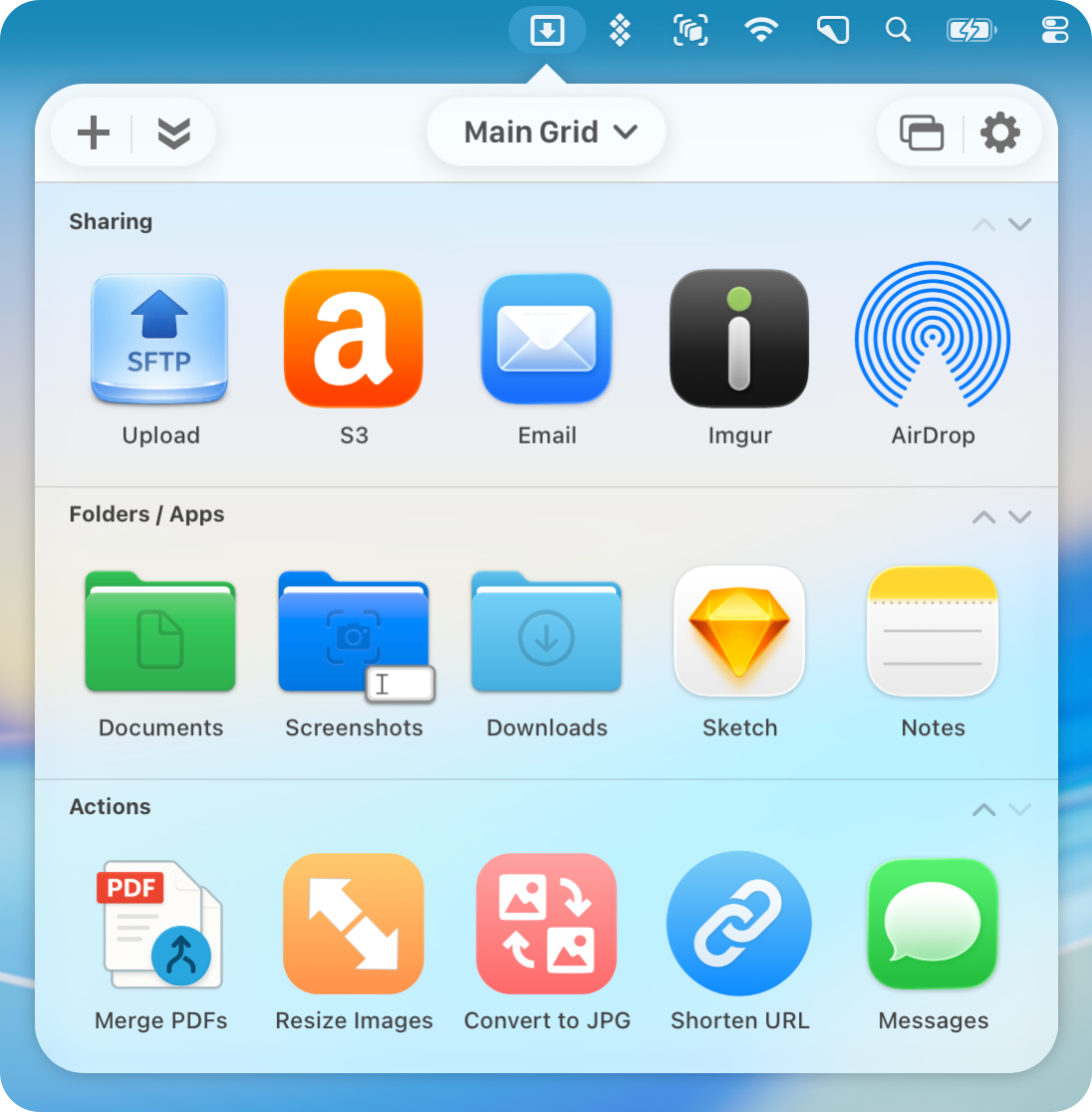
Dropzone 5 is a major update packed with changes, and I can’t wait to share them with you. To start, Dropzone 5 has been completely redesigned for macOS Tahoe. It features a beautiful new translucent look that fully takes advantage of Tahoe’s glass materials. The Dropzone 5 header has also been revamped with the new Tahoe toolbar style, and a brand-new grid selector has been added:
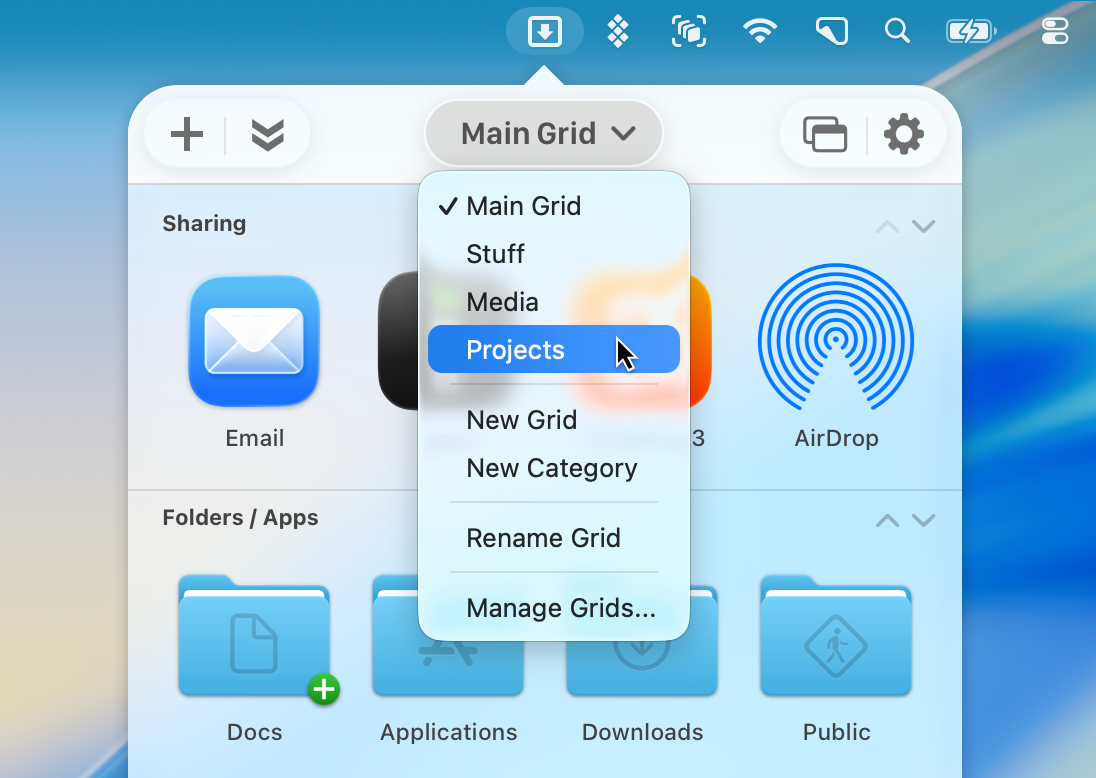
The new grid selector allows you to switch between multiple Dropzone grids. This feature will change the way you use the app; you can create separate Dropzone grids with different apps/folders/actions for different contexts and easily switch between them. You can set up a main grid for your most-used folders and apps, then create additional grids for blogging tools, video production, different servers, or anything else you need.
The action grids themselves are also much more flexible now. Whereas in earlier versions of Dropzone you couldn’t edit the default categories, in this new version you can create as many categories as you want and move actions between categories. These changes takes Dropzone to a whole new level and make Dropzone much more flexible.
Dropzone’s Settings have been completely redesigned. In the new Grids section you can view and edit all the grids you have setup. Another long-requested feature, now finally included in Dropzone 5, is the ability to override the automatic column layout. You can manually adjust the number of columns in a grid using the stepper control in the right column:
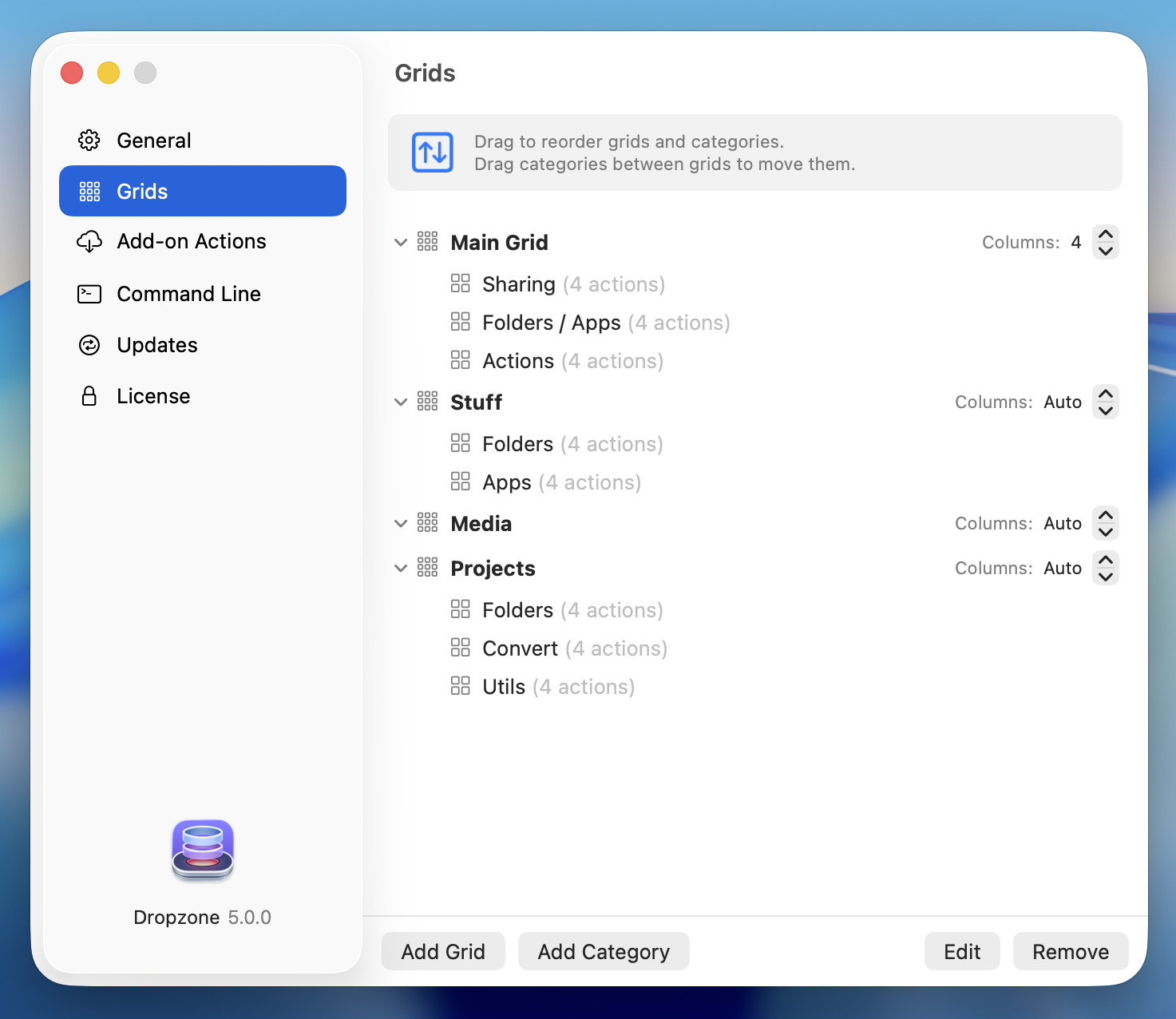
In the Grids section you can reorder grids and categories by dragging them and also easily move categories between grids. You can also reorder categories in the grid itself by clicking on the up/down chevrons which are to the far right of each category heading. Dropzone grid size is set in the General tab and this setting is preserved per grid giving you full control of how each grid displays.
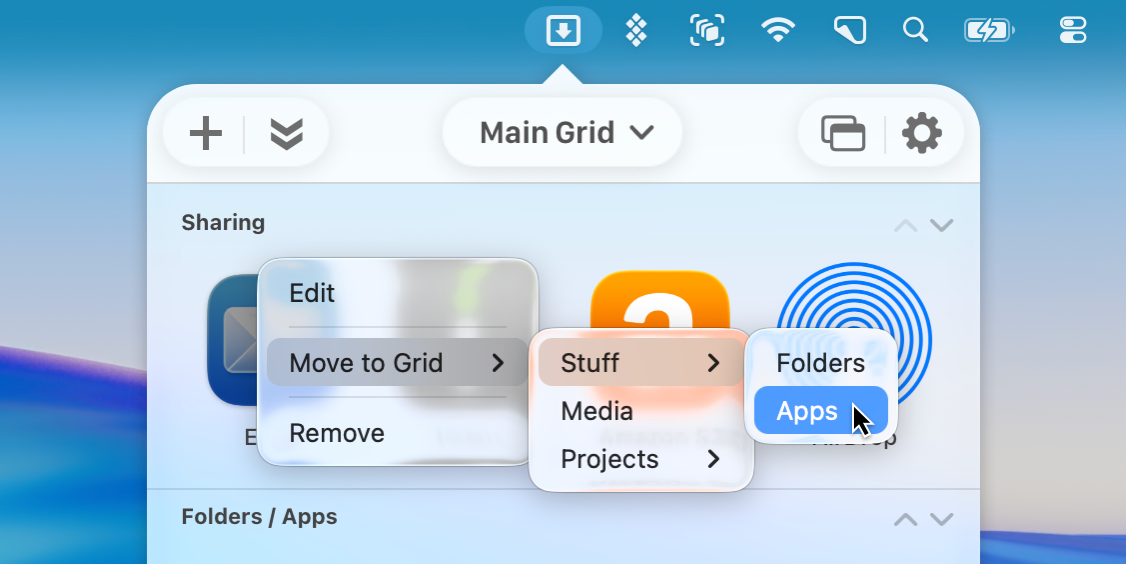
You can easily move actions and Drop Bar items to a different grid by choosing ‘Move to Grid’ from the right-click menu.
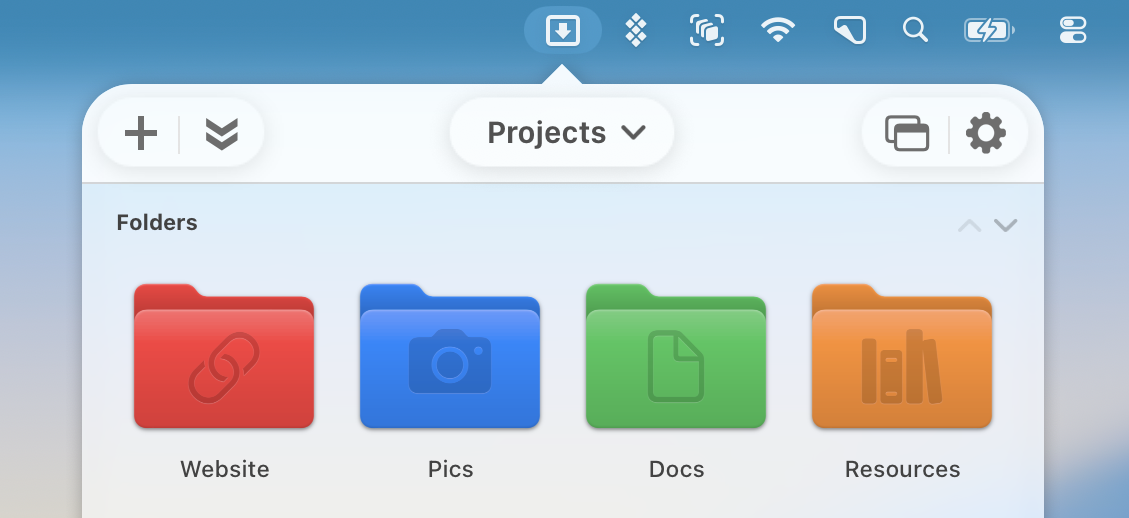
In macOS Tahoe, you can now assign custom colors, symbols, and emoji to folders, and now Dropzone 5 brings those customizations directly into your grids. It’s an easy way to make folder actions more visually distinct, and a fun way to customize your Dropzone grids even further:
There are many more enhancements in Dropzone 5 and we’ll also be rolling out lots of updates to Dropzone 5 in the future. Dropzone 5 is available today as a free download from aptonic.com, and it’s also available on Setapp and the Mac App Store.
Dropzone 5 Pro is available as a lifetime license for $35, with a limited-time launch price of $25. If you’re an existing Dropzone 4 customer, you can get discounted upgrade pricing of up to 50% off at aptonic.com/upgrade (or a completely free upgrade if you purchased within the last two weeks).
To get started, visit aptonic.com and click “Download Dropzone 5,” then extract the download zip file and move Dropzone to your Applications folder and run it. If you’re upgrading from Dropzone 4 your existing actions and preferences will all be migrated automatically.
Also, here’s a fun promo video we made for the launch to show off the new multi-grid support:
We hope you enjoy using Dropzone 5. If you have any feedback or questions, feel free to drop us a line at support@aptonic.com.